

ClickUp Review
One app to replace them all — tasks, docs, goals, chat.
Product overview
ClickUp is a highly customizable work platform combining tasks, docs, goals, whiteboards, and chat. It targets teams that want a single tool for project management, product ops, and collaboration.
Product screenshots
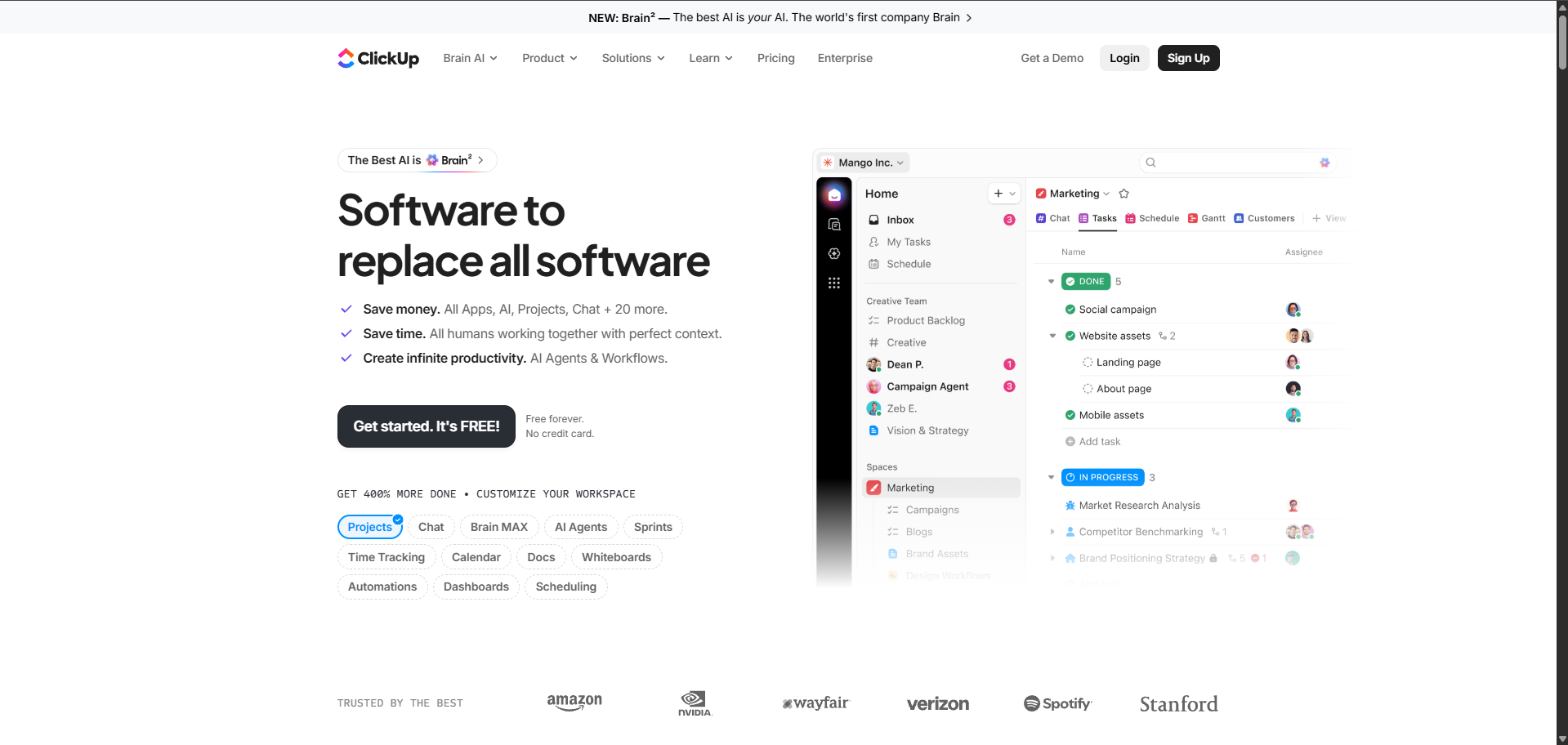
Live capture of the ClickUp homepage and product interface. Brand assets shown for editorial review purposes.
Key features
Custom Views
15+ ways to visualize work including Gantt and Timeline.
Docs
Nested docs with real-time collaboration.
Automations
No-code automations across statuses and fields.
Goals
Track OKRs and KPIs tied to tasks.
Pros & cons
Pros
- Extremely flexible views: list, board, gantt, calendar
- Native docs, whiteboards, and chat
- Aggressive free plan
- Fast product velocity
Cons
- Learning curve for new admins
- UI can feel dense
- Occasional performance issues on large workspaces
Pricing
| Plan | Price | Includes |
|---|---|---|
| Free | $0 | Unlimited users and tasks with limits. |
| Unlimited | $7/user/mo | Integrations, dashboards, guests. |
| Business | $12/user/mo | Advanced automations and reporting. |
Who ClickUp is best for
Teams that want deep customization and are willing to invest in setup.
Alternatives to ClickUp

Frequently asked questions
What is ClickUp?
ClickUp is one app to replace them all — tasks, docs, goals, chat. ClickUp is a highly customizable work platform combining tasks, docs, goals, whiteboards, and chat. It targets teams that want a single tool for project management, product ops, and collaboration.
How much does ClickUp cost?
ClickUp pricing starts at $7/user/mo. Full plan breakdown is in the pricing section above.
Does ClickUp offer a free trial?
Yes, ClickUp offers a free trial or free tier so you can evaluate before committing.
Who is ClickUp best for?
ClickUp is best for teams that want deep customization and are willing to invest in setup.
What are the best alternatives to ClickUp?
Top alternatives in the Project Management category include asana.
Marcus Chen
Contributing Analyst at CodeTag — Marcus is a product designer and no-code builder. He tests website builders, design tools, and video software with an eye for real-world performance and DX.